Author: Ted Drake

  • The Disability Tax May Already Be in Your Customer Research

    The Disability Tax May Already Be in Your Customer Research

    In my last post, I looked at Customer Effort Score as one way to make the Disability Tax more visible in product design. But you don’t have to wait for your next research study to start looking for it. You may already have years of evidence sitting in your customer research archive. The problem is knowing what to search for.

    Customers rarely say:

    • “Your product is creating a Disability Tax.”

    They say:

    • “I always go to the website for this part.”
    • “I know that button doesn’t work.”
    • “I usually have my husband do this.”
    • “I have to try it a couple of times.”
    • “I figured out a way around it.”

    Those comments are easy to miss when the original study was focused on something else.

    Don’t search only for accessibility

    A search for accessibility, screen reader, or keyboard will find some useful material. It will also miss a lot.

    The Disability Tax often shows up as behavior. Look for customers switching methods, repeating steps, asking for help, avoiding parts of a product, spending too much time on something simple, or describing routines they’ve developed to work around the product.

    One phrase I’d pay particular attention to is: “I always…”

    • “I always open this in another browser.”
    • “I always start from this page.”
    • “I always have to zoom out first.”

    That may be a customer describing a habit. It may also be a workaround they’ve repeated so many times that it no longer feels unusual.

    Use AI to look for the pattern

    If your organization has an approved AI search or research tool, you can use it to look across transcripts, notes, and previous usability studies.

    The important part is telling the system to search for evidence of effort, not simply mentions of disability.

    Here’s the prompt I’d start with:

    Prompt

    Role

    You are a UX researcher and accessibility analyst reviewing customer research documents, interview transcripts, usability studies, and research notes.

    Goal

    Find evidence of product-induced customer effort, with particular attention to experiences that may represent a Disability Tax.

    I am looking for moments where customers had to do extra work to complete an ordinary task, including cases where they eventually succeeded.

    Also identify cases where excessive effort caused someone to abandon the task.

    Look for behaviors such as:

    • Workarounds: The customer developed another way to accomplish the task.
    • Device or channel switching: The customer moved between an app, website, browser, device, mouse, keyboard, phone support, or another method because the first approach didn’t work.
    • Seeking assistance: The customer asked a family member, colleague, support agent, or another person for help.
    • Repetition or recovery: The customer retried steps, reentered information, backed up, restarted, or recovered from repeated errors.
    • Avoidance: The customer avoids a feature, control, or part of the experience because they expect difficulty.
    • Excessive time or navigation: A routine task required substantially more time, steps, searching, or navigation than expected.
    • Assistive technology friction: The customer describes problems involving a screen reader, magnification, keyboard navigation, voice control, captions, switch access, or other assistive technology.
    • Abandonment: The customer gave up or moved to another channel because completing the task required too much effort.
    • Habitual workarounds: Pay particular attention to phrases such as “I always,” “I usually,” “I know to,” “I have to,” or “the way I do this is.” These may describe workarounds that have become routine.

    For each example, report:

    • Source: file name, study, participant ID, and timestamp if available
    • Customer goal: what the customer was trying to accomplish
    • Exact customer quote
    • Extra effort: what additional work the customer performed
    • Effort type: workaround, switching, assistance, repetition, avoidance, excessive time, assistive technology friction, or abandonment
    • Task outcome: completed, abandoned, or unknown
    • Disability or assistive technology evidence: state exactly what evidence exists
    • Likely product barrier: describe only what the evidence supports
    • Confidence: high, medium, or low based on the strength of the evidence

    Important constraints

    Do not assume someone has a disability because a task was difficult.

    Do not infer a specific disability from behavior.

    Keep the customer’s exact words separate from your interpretation.

    General usability problems should still be reported, but label them as general customer effort when there is no evidence connecting them to disability or assistive technology.

    Do not force examples into the Disability Tax category.

    If there is not enough evidence to understand why the customer experienced extra effort, say so.

    After reviewing the individual examples, group repeated patterns by customer goal or product journey. Identify places where multiple customers describe similar forms of extra effort.

    What to do with the results

    Start by reading the original passages. AI is useful here because it can help us find needles in a very large haystack. It shouldn’t decide which needles matter.

    Look for repeated behaviors. Look for a workaround that appears across several studies. Look for a task that customers technically completed but repeatedly described as tiring, confusing, or unnecessarily complicated. And look for old problems.

    One of the interesting things about searching an archive is that you may discover a Disability Tax that customers have been describing for years. Nobody grouped those comments together because each study was asking a different question.

    That’s the opportunity.

    We already collect a tremendous amount of customer evidence. We may not need another metric or another study before we start learning from it. Sometimes we need to ask a different question of the research we already have.

  • Consumer Effort Score and the Disability Tax

    Consumer Effort Score and the Disability Tax

    I had a manager at Intuit, Krithika Swaminathan, who pushed our accessibility team to explore how we could measure the work we are doing. Like most accessibility teams, we had been focuseing on performance metrics, like the number of audits or how many automated testing errors were found. 


    But over the years, we’ve collected a treasure trove of information, from  customer research, manual audits, workshops, Accessibility Champions, and feedback channels. We’ve used this information to explore metrics that answer the who, what, when, and how of our customers and products. 


    With AI, we’ve been able to tap that rich data to find new measurements. This week, I’ve been exploring something I hadn’t seen before. How do we quantify the disability tax built into our product design. This is done by extending the Customer Effort Score to account for workarounds. 

    Customer Effort Score

    Customer Effort Score (CES)  came out of research published in the 2010 Harvard Business Review article Stop Trying to Delight Your Customers. The research looked at more than 75,000 customer interactions and made a fairly simple argument: reducing customer effort matters.

    CES usually asks a customer to rate the effort required to do something, followed by a question that helps explain the score.

    For product research, I’d make it simple:

    1. How easy or difficult was it to complete this task?
    2. What made you choose that score?

    For accessibility, I’d add one more:

    1. What did you have to do to make it work for you?

    That last question interests me.

    The work we don’t see

    A disabled customer may complete a task successfully and still have to do considerably more work.

    They may switch from the app to the website. They may zoom in to read a field, zoom back out to understand the page, then repeat the process. They may know a certain control doesn’t work with a keyboard, so they avoid it. They may ask someone else to complete part of the task.

    Sometimes the workaround has become so familiar that the person no longer thinks of it as a workaround.

    I remember interviewing a customer who had developed a routine for finding a particular button. They would use JAWS to locate the second table on the page, then use Shift+Tab several times to move backward until they reached the button.

    They did this every day.

    Our product worked, at least according to task completion. But we were charging that customer extra effort every time they used it. We fixed the experience by adding the headings they needed to navigate the page more directly.

    That extra work is what I think of as the Disability Tax in product design.

    This idea isn’t completely new

    There’s already research behind this idea.

    The Disability Tax is the cost of living in a world that was not designed for you. Jason Fields describes it in The Invisible Burden: Understanding the Disability Tax: “This term encapsulates the extra costs—monetary, emotional, and time-related—that are requisite for those living with a disability to simply access and engage fully within their day-to-day lives.”

    Researchers have also tried to measure pieces of it.

    A 2004 Disability Rights Commission study compared task completion and time for blind and non-disabled people on websites with different levels of accessibility. Watanabe later measured how proper heading structure affected task-completion time for blind screen-reader users.

    In 2020, Meagan Griffith, Brian Wentz, and Jonathan Lazar went even further. Their research specifically looked at ways to quantify the amount of time blind people lose because of web accessibility barriers.

    So measuring the cost of inaccessible design isn’t a new idea.

    What I haven’t found is a common product metric for it.

    That’s where I think CES could help.

    CES as a signal of the Disability Tax

    I wouldn’t call the difference between two CES scores the Disability Tax. Disability is too varied, products are too complicated, and a non-disabled customer shouldn’t automatically become our definition of a normal experience.

    But the difference can be a signal.

    Ask the same task-level effort question during research with disabled and non-disabled customers. Look at the scores, but also look at time, retries, workarounds, channel switching, and requests for assistance.

    Then listen to the explanation.

    If disabled customers consistently report more effort on the same journey, we have something worth investigating. And unlike an accessibility audit, CES can expose experiences that technically work.

    A form can have labels and still be exhausting. A screen can have headings and still require too much navigation. Authentication can technically be accessible and still require several attempts, another device, or help from another person.

    • Compliance tells us whether we met a requirement.
    • Customer effort starts telling us what it cost someone to use what we built.

    I’d like to see us measure both.

    The goal isn’t to invent one perfect Disability Tax score. It’s to make some of this hidden work visible so product teams can start reducing it.

    In a follow-up, I’ll look at another place we can find it: the customer research we’ve already collected.

    AI Notice: This post used AI assistance for research and language.

  • Community Builds the Conditions for Accessibility

    Community Builds the Conditions for Accessibility

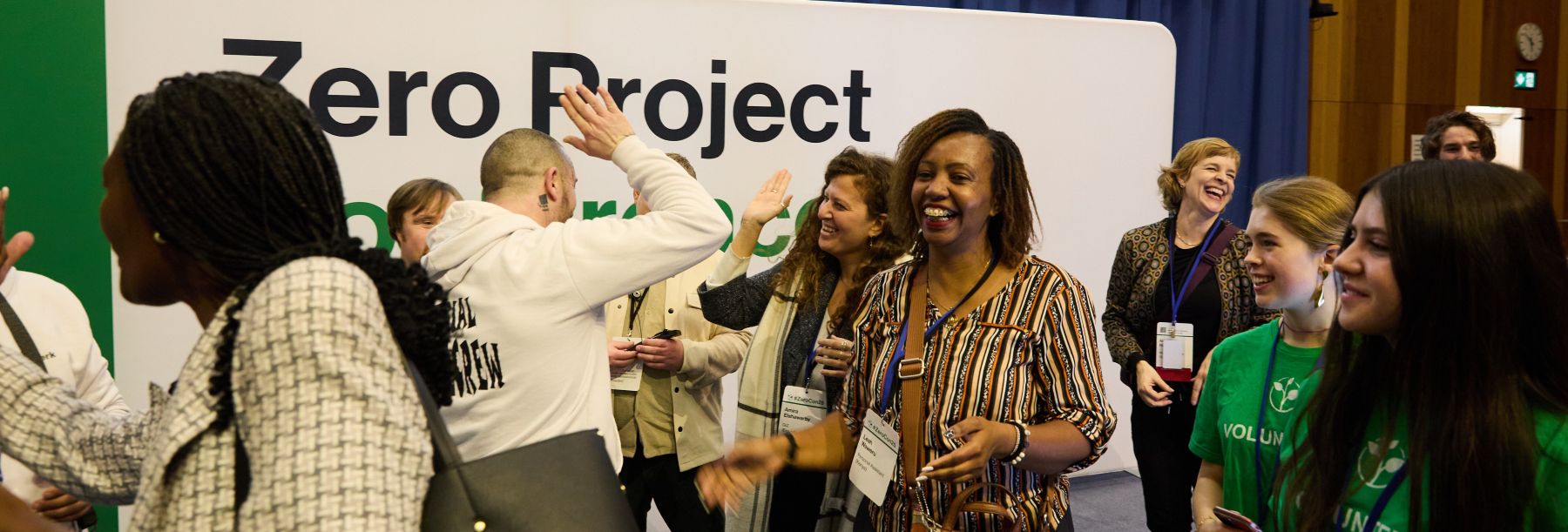
    At the Zero Project Conference in Vienna, one pattern kept repeating across very different sessions: lasting accessibility change rarely starts with a policy alone, a checklist alone, or a single expert. It grows when communities build shared knowledge, shared responsibility, and practical systems that other people can use. That is what makes the work stick.

    Lived experience becomes shared capability

    Sinéad Burke’s keynote framed this clearly. The challenge is not just to include disabled people as end users. It is to recognize lived experience as expertise and leadership. When that happens, accessibility stops being something reviewed at the end and becomes something shaped earlier, with better judgment and better priorities.

    That same idea showed up throughout the week. The strongest examples were not centered on one hero or one institution. They created ways for knowledge to move outward, so more people could make better decisions in their own settings.

    The best models spread because they are usable

    A strong example came from the Geodetic Institute of Slovenia. Their project on multimodal mobility used disability-led design to create tactile maps and detailed access information, then backed it with local workshops. What stood out was not just the quality of the work. It was that the model was standardized and simple enough to transfer to other places. That is how good accessibility practice grows.

    The NextGen Accessibility Initiative showed something similar in a different context. By working with Gen Z organizations inside existing frameworks, it helped 200,000 students get accommodations, support, and education. That is an example of building inside the flow of real systems instead of creating a side effort that never reaches scale.

    Community leadership keeps the work from staying symbolic

    One of the most useful discussions looked at disability awards and recognition lists. The takeaway was not that visibility is unhelpful. It was that visibility is only the start. Irene Mbari-Kirika noted that once the list is published, the harder question begins: who is building the support structure that helps ideas turn into durable change?

    That is where community-based organizations often lead. InABLE, for example, was highlighted for building knowledge and support systems for entrepreneurs in Africa. That is deeper than awareness. It is the kind of work that helps capability take root, especially in places where formal systems are not doing enough yet.

    Trust matters most when the stakes are high

    The crisis response sessions made this even clearer. In emergencies, accessible support cannot depend on last-minute improvisation. It depends on preparation, coordination, training, and trusted relationships long before something goes wrong.

    Projects like Purple Vest and GADRA showed why community-led work matters here. Purple Vest focuses on accessible evacuation and support for disabled people and older adults. GADRA made the larger structural point: only 1% of disaster relief funding goes to disability-led organizations. That gap explains a lot. When communities are excluded from leadership, support is often designed around assumptions instead of lived reality.

    The disaster database work in rural Vietnam was another strong example. The Hanoi Association of People with Disabilities helped develop a system that mapped households, gathered detailed infrastructure data, and trained government officials. Then that work was integrated into the national disaster monitoring system. This is what it looks like when community knowledge becomes operational infrastructure.

    Inclusion grows when it is built into everyday places

    The same pattern appeared in public space, culture, and daily life. The National Library of Singapore showed how physical access, defined routes, wider aisles, and support programs can be designed as part of the experience from the start. This is more than removing obstacles. It is creating environments people can actually use with confidence.

    The session on Europe Beyond Access made a similar point in the arts. The network has created career opportunities for disabled and Deaf artists across 11 cultural institutions and produced toolkits for inclusive events. This is not just about welcoming people into existing spaces. It is about changing the conditions so participation can continue and grow.

    What I took from it

    The clearest lesson from these sessions is that accessibility becomes stronger when it is distributed. Community-based organizations often lead because they stay close to lived experience, build trust over time, and create methods that other people can adopt. They do not just advocate for change. They create the conditions that allow change to travel.

    That is the kind of progress worth paying attention to. It is practical, repeatable, and built to last.

  • How Accessibility Actually Sticks

    How Accessibility Actually Sticks

    The Problem Isn’t Motivation. It’s Memory.

    Most accessibility work starts the same way. Someone asks a question. Someone knowledgeable answers it. The team moves on.

    That exchange feels productive. It is productive. But it has a hidden cost.

    If the answer only lives in a meeting, a Slack thread, or someone’s head, it disappears the moment priorities shift, people rotate, or the next new hire joins the team. Then the same question comes back. And back again. And eventually, people stop asking.

    This is how accessibility quietly erodes—not because people stopped caring, but because the organization never learned.

    When Knowledge Stays Personal, Progress Stalls

    I’ve seen teams with strong accessibility instincts still struggle because everything depended on informal help. Reviews caught issues late. Decisions were explained verbally but never recorded. Good intent was everywhere, but confidence was fragile.

    You can spot this pattern easily:

    • The same questions come up every quarter

    • Accessibility advice changes depending on who you ask

    • New team members hesitate because “I don’t want to get it wrong”

    That hesitation matters. When accessibility knowledge feels personal or fragile, people wait for permission instead of acting.

    Writing Things Down Is a Leadership Move

    Documentation gets a bad reputation because people imagine heavy process and stale guidelines. That’s not what makes accessibility stick.

    What works is much simpler.

    Write down why a decision was made. Capture what “good enough” looks like today. Share the tradeoffs you accepted so the next team doesn’t repeat the same debate.

    This kind of documentation does three important things:

    1. It makes decisions reusable

    2. It lowers the cost of participation

    3. It shifts accessibility from private expertise to shared context

    That shift is the difference between a team that depends on experts and one that can move independently.

    What This Looks Like in Practice

    This is not about creating perfect artifacts. It’s about leaving breadcrumbs.

    Some examples I’ve seen work:

    • A short design note explaining why a color contrast exception was approved

    • A checklist used during planning, not just at review time

    • A shared definition of “keyboard complete” that everyone agrees on

    None of these are impressive on their own. Together, they create continuity.

    Action You Can Take This Month

    If you want to make accessibility stick where you work, start small and concrete:

    • The next time you answer a question twice, write it down

    • Turn one recurring accessibility comment into a checklist item

    • Capture one decision and share it with the team that wasn’t in the room

    Do not wait for a documentation sprint. Do not aim for completeness. Aim for usefulness.

    This Is About Care, Not Control

    Repeating yourself is exhausting. Holding knowledge in your head is risky. Documentation is not bureaucracy—it’s a way of caring for the people doing the work now and the people who will join later.

    Accessibility lasts when it stops relying on memory and starts relying on shared understanding. That doesn’t happen all at once. It happens through small decisions made consistently.

    That’s how the work survives you. And that’s how it actually sticks.

    — This article was written with AI asssistance